How to Setup AI Variable Configuration
AI variables let you define a prompt that TurboDocx uses to generate content automatically when a document is created from a Wrike automation. Instead of pulling a static value from a Wrike field, AI interprets the project context and writes the content for you.
Prerequisites
- A template uploaded to TurboDocx with at least one variable
- A connected Wrike account (see Setting Up a Wrike Automation)
Configure an AI Variable
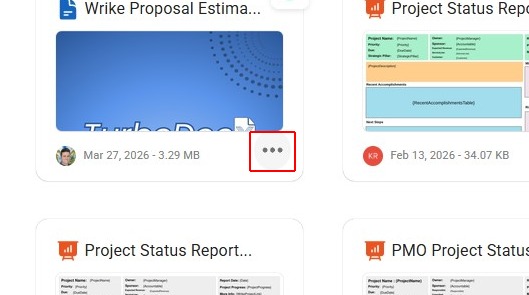
Step 1: Select Your Template
Navigate to your templates and select the template you want to configure with an AI variable.
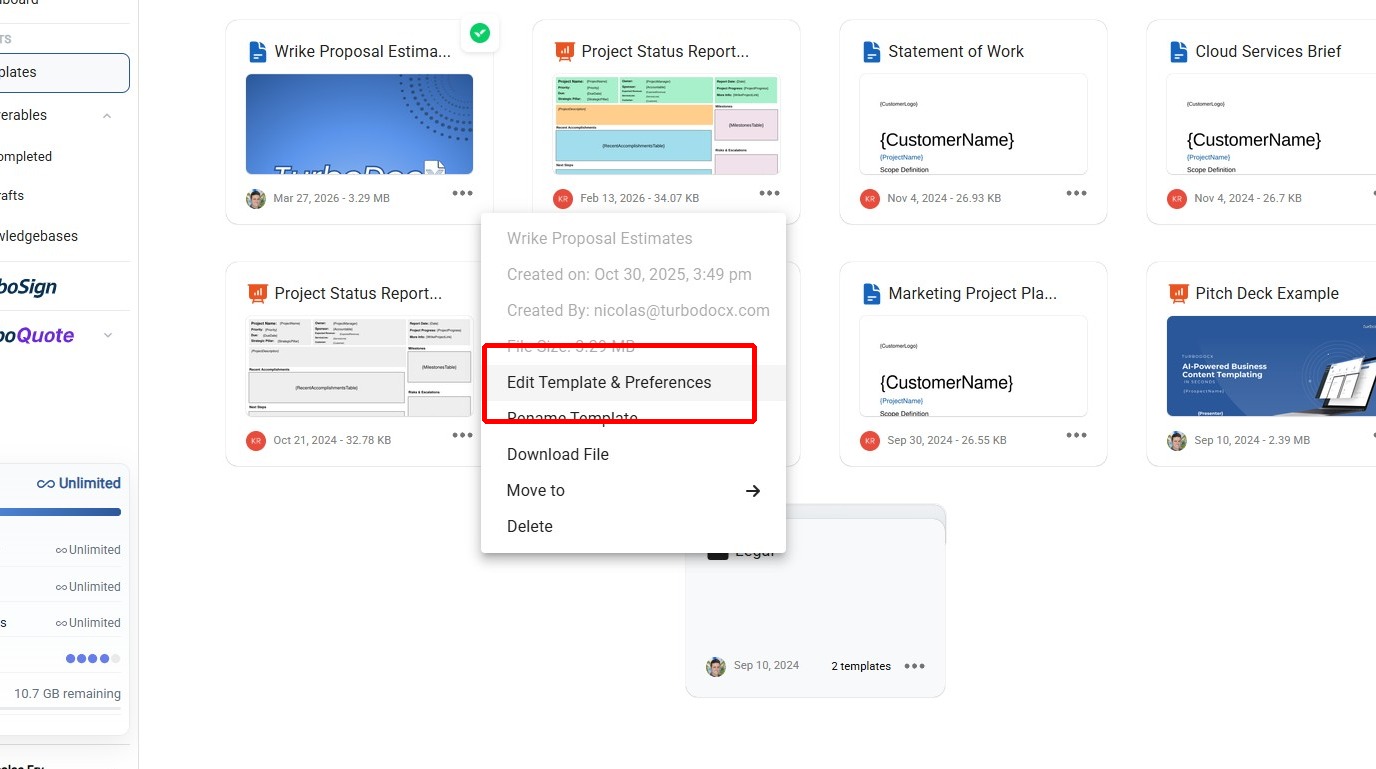
Step 2: Open Template Preferences
Click Edit Template & Preferences to open the template configuration view.
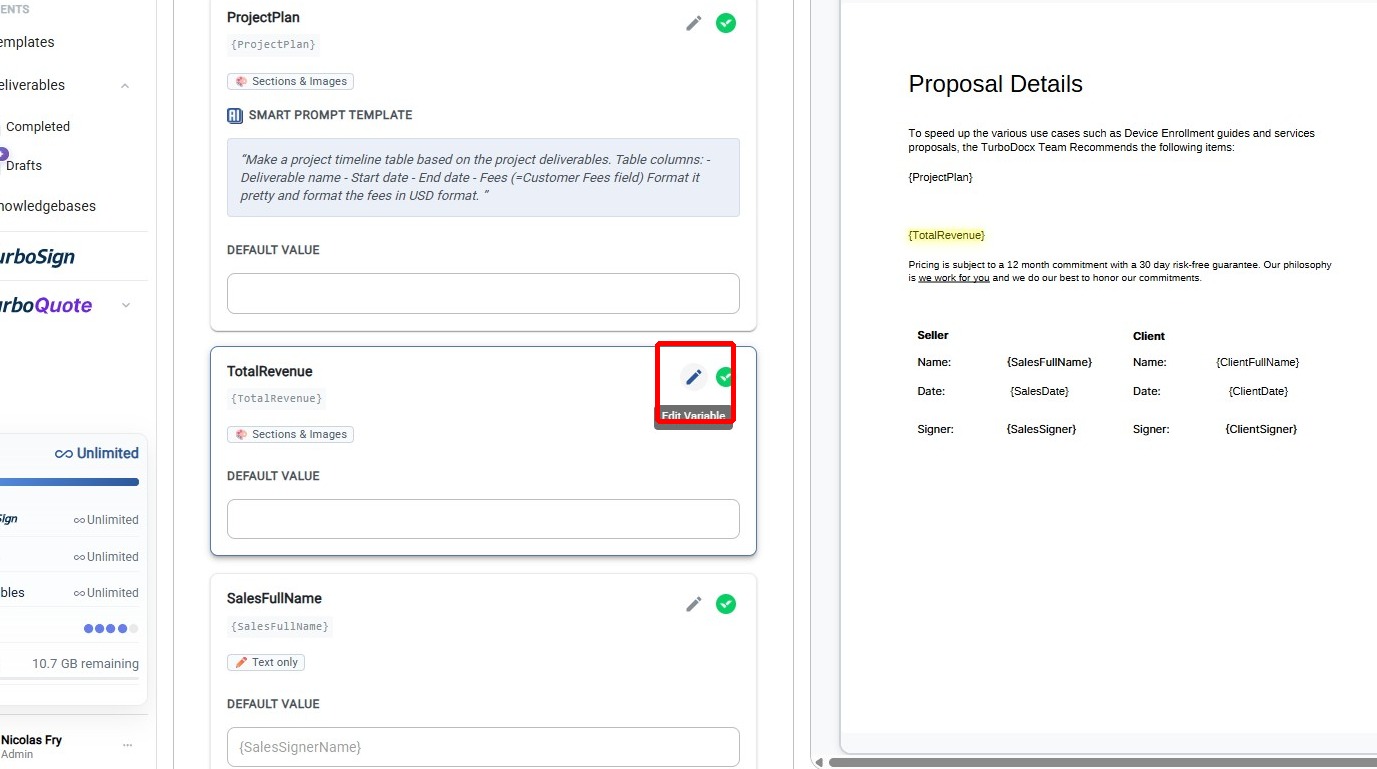
Step 3: Open Variable Settings
Click the settings icon on the variable you want to configure with AI.
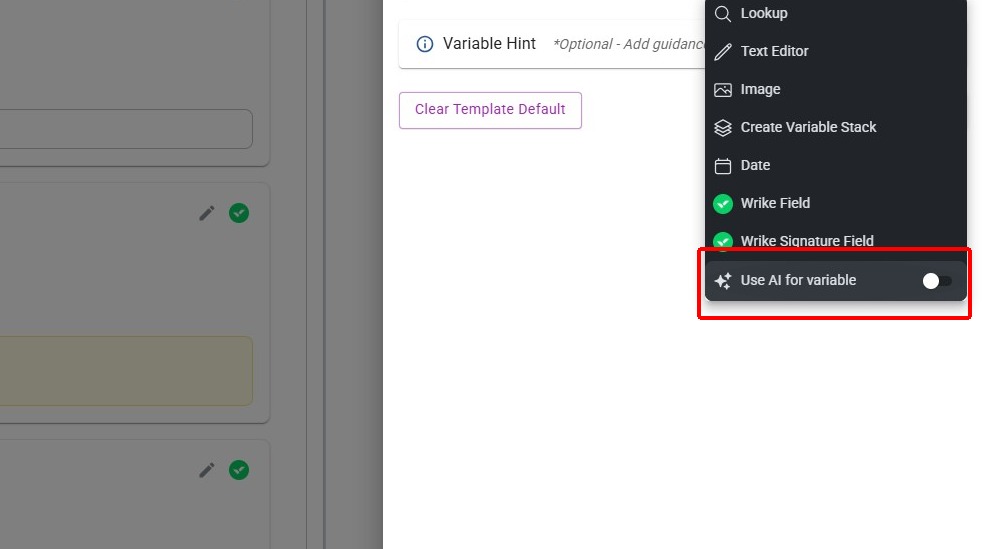
Step 4: Enable AI
Click "Use AI for variable" to switch the variable to AI mode. This tells TurboDocx to generate content using a prompt instead of expecting manual input or a static field value.
Step 5: Type in a Prompt
Enter the prompt that AI will use to generate content for this variable. Write a clear, specific instruction describing what the AI should produce — for example, "Write a professional project summary based on the task details and deliverables."
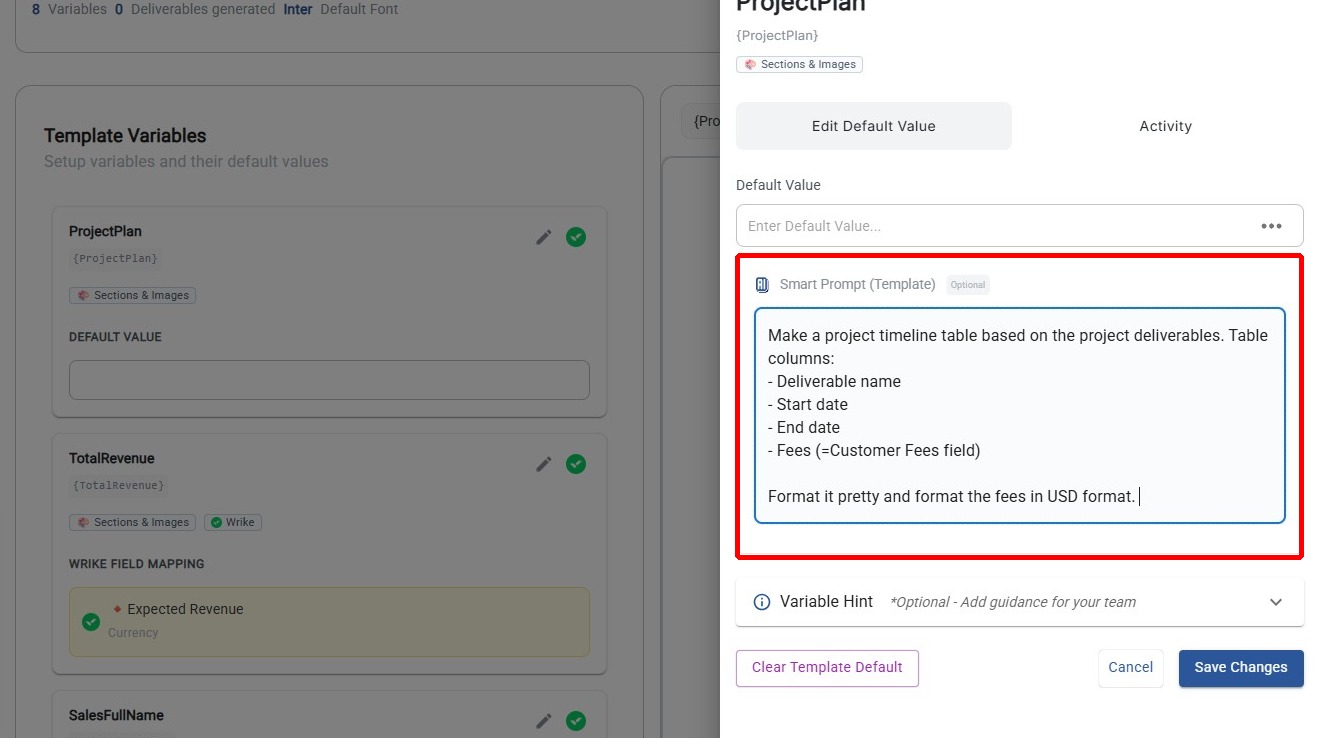
The more specific your prompt, the better the output. Include details like tone, length, and what information to focus on.
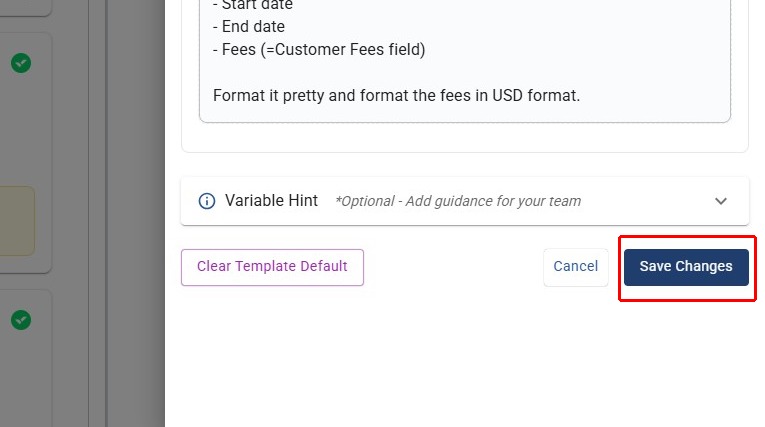
Step 6: Save Changes
Click "Save Changes" to persist the AI variable configuration.
How It Works at Generation Time
When a Wrike automation triggers document generation, TurboDocx sends the AI prompt along with the relevant Wrike project data to the AI model. The AI generates content based on your prompt and the project context, and the result is placed into the template variable.
This is different from static field mapping, which inserts exact Wrike field values with no interpretation. AI variables are ideal for generating summaries, descriptions, recommendations, and other narrative content that benefits from intelligent synthesis of project data.
You can mix AI variables and static field mappings in the same template. Use static mappings for structured data (dates, amounts, codes) and AI variables for narrative content (summaries, descriptions, recommendations).