Embed Signing with Your Own Iframe (Email Passcode)
Let an agent scaffold this for you
Install the TurboDocx Quickstart Skill and let Claude Code, Cursor, Copilot, Codex, or any agent that speaks the Agent Skills standard install the SDK, wire it into your app, and write a working TurboSign integration end-to-end.
$npx skills add TurboDocx/quickstart›/turbodocx-sdk turbosign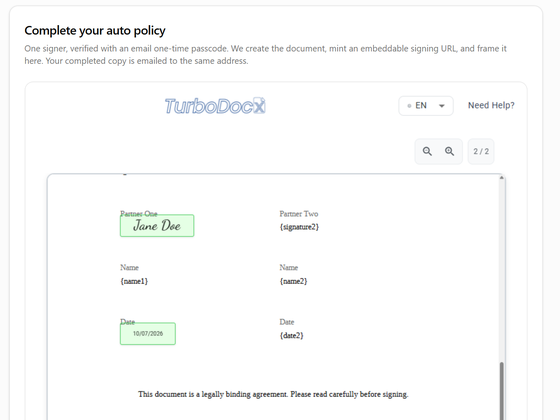
In this guide your app frames the TurboSign signing page in a plain iframe and listens for the completion message itself. TurboSign verifies the signer with a six-digit code sent to their email.
Choose this path when you want full control of the frame, or your framework is not React. If you would rather not write the listener, use the React widget or the web component instead.
What you'll build:
- A server route that creates the document and returns a signing URL.
- A page that shows the signing page in an iframe.
- A message listener that reacts when the signer finishes, and checks where the message came from.
Prerequisites
- The setup in Before you start: embedded signing on, your origin allowed, and an Administrator or Contributor API key.
- A PDF with
{signature1}and{date1}text anchors.
Step 1: Check your setup and choose how signers verify
An admin must have completed Set up your organization: Enable identity verification is on (it is the master switch for embedded signing), and your app's origin is under Allowed embedding domains.
This guide verifies each signer with an email passcode. Every embedded signer needs a verification method unless you use the sender override while testing. To use SMS, your own identity provider, or the override, see Identity verification.
Step 2: Create the document and signing URL on your server
Add a route to your server, for example POST /api/signing-session. It calls createEmbeddedSignature, which uploads the PDF, adds the signer with an email passcode, and returns an embedUrl in one call. Signing-link emails are off by default in this call (sendEmail: false), so the signer is not emailed a link they don't need.
- JavaScript / TypeScript
- Python
- PHP
- Go
- Java
- Ruby
import { readFile } from "node:fs/promises";
import { TurboSign } from "@turbodocx/sdk";

TurboSign.configure({
  apiKey: process.env.TURBODOCX_API_KEY!, // an Administrator or Contributor key
  orgId: process.env.TURBODOCX_ORG_ID!,
  senderEmail: "contracts@yourcompany.com",
  senderName: "Your Company",
});

// Call this from your POST /api/signing-session route.
export async function startSigning({ name, email }: { name: string; email: string }) {
  const { documentId, recipients } = await TurboSign.createEmbeddedSignature({
    file: await readFile("contract.pdf"),
    fileName: "contract.pdf",
    documentName: `Service Agreement - ${name}`,
    recipients: [
      {
        name,
        email,
        auth: { emailOtp: true }, // email passcode before the document opens
        fields: { signature: "{signature1}", date: "{date1}" },
      },
    ],
  });

  const signer = recipients[0];
  if (!signer.embedUrl) throw new Error(`Cannot start signing: recipient is ${signer.status}`);
  return { documentId, embedUrl: signer.embedUrl };
}
import os
from turbodocx_sdk import TurboSign

TurboSign.configure(
    api_key=os.environ["TURBODOCX_API_KEY"],  # an Administrator or Contributor key
    org_id=os.environ["TURBODOCX_ORG_ID"],
    sender_email="contracts@yourcompany.com",
    sender_name="Your Company",
)

# Call this from your POST /api/signing-session route (for example a FastAPI handler).
async def start_signing(name: str, email: str) -> dict:
    with open("contract.pdf", "rb") as f:
        pdf = f.read()

    result = await TurboSign.create_embedded_signature(
        file=pdf,
        file_name="contract.pdf",
        document_name=f"Service Agreement - {name}",
        recipients=[
            {
                "name": name,
                "email": email,
                "auth": {"email_otp": True},  # email passcode before the document opens
                "fields": {"signature": "{signature1}", "date": "{date1}"},
            }
        ],
    )

    signer = result["recipients"][0]
    if not signer["embedUrl"]:
        raise RuntimeError(f"Cannot start signing: recipient is {signer['status']}")
    return {"documentId": result["documentId"], "embedUrl": signer["embedUrl"]}
<?php

use TurboDocx\TurboSign;
use TurboDocx\Config\HttpClientConfig;
use TurboDocx\Types\Requests\CreateEmbeddedSignatureRequest;
use TurboDocx\Types\Requests\EmbeddedSignatureRecipient;
use TurboDocx\Types\Requests\EmbeddedRecipientAuth;
use TurboDocx\Types\Requests\EmbeddedRecipientFields;

TurboSign::configure(new HttpClientConfig(
    apiKey: getenv('TURBODOCX_API_KEY'), // an Administrator or Contributor key
    orgId: getenv('TURBODOCX_ORG_ID'),
    senderEmail: 'contracts@yourcompany.com',
    senderName: 'Your Company'
));

// Call this from your POST /api/signing-session route.
function startSigning(string $name, string $email): array
{
    $result = TurboSign::createEmbeddedSignature(new CreateEmbeddedSignatureRequest(
        recipients: [
            new EmbeddedSignatureRecipient(
                name: $name,
                email: $email,
                auth: new EmbeddedRecipientAuth(emailOtp: true), // email passcode before the document opens
                fields: new EmbeddedRecipientFields(signature: '{signature1}', date: '{date1}'),
            ),
        ],
        file: file_get_contents(__DIR__ . '/contract.pdf'),
        fileName: 'contract.pdf',
        documentName: "Service Agreement - {$name}",
    ));

    $signer = $result->recipients[0];
    if ($signer->embedUrl === null) {
        throw new RuntimeException("Cannot start signing: recipient is {$signer->status}");
    }
    return ['documentId' => $result->documentId, 'embedUrl' => $signer->embedUrl];
}
package signing

import (
	"context"
	"fmt"
	"os"

	turbodocx "github.com/TurboDocx/SDK/packages/go-sdk"
)

func newClient() (*turbodocx.Client, error) {
	return turbodocx.NewClientWithConfig(turbodocx.ClientConfig{
		APIKey:      os.Getenv("TURBODOCX_API_KEY"), // an Administrator or Contributor key
		OrgID:       os.Getenv("TURBODOCX_ORG_ID"),
		SenderEmail: "contracts@yourcompany.com",
		SenderName:  "Your Company",
	})
}

// StartSigning is called from your POST /api/signing-session handler.
func StartSigning(ctx context.Context, client *turbodocx.Client, name, email string) (documentID, embedURL string, err error) {
	pdf, err := os.ReadFile("contract.pdf")
	if err != nil {
		return "", "", err
	}

	result, err := client.TurboSign.CreateEmbeddedSignature(ctx, &turbodocx.CreateEmbeddedSignatureRequest{
		File:         pdf,
		FileName:     "contract.pdf",
		DocumentName: "Service Agreement - " + name,
		Recipients: []turbodocx.EmbeddedSignatureRecipient{
			{
				Name:   name,
				Email:  email,
				Auth:   &turbodocx.EmbeddedRecipientAuth{EmailOTP: true}, // email passcode before the document opens
				Fields: &turbodocx.EmbeddedRecipientFields{Signature: "{signature1}", Date: "{date1}"},
			},
		},
	})
	if err != nil {
		return "", "", err
	}

	signer := result.Recipients[0]
	if signer.EmbedURL == "" { // Go uses an empty string, not nil, when no URL was minted
		return "", "", fmt.Errorf("cannot start signing: recipient is %s", signer.Status)
	}
	return result.DocumentID, signer.EmbedURL, nil
}
import com.turbodocx.TurboDocxClient;
import com.turbodocx.models.*;
import java.nio.file.Files;
import java.nio.file.Paths;
import java.util.List;

public class SigningService {
    private final TurboDocxClient client = new TurboDocxClient.Builder()
        .apiKey(System.getenv("TURBODOCX_API_KEY")) // an Administrator or Contributor key
        .orgId(System.getenv("TURBODOCX_ORG_ID"))
        .senderEmail("contracts@yourcompany.com")
        .senderName("Your Company")
        .build();

    // Call this from your POST /api/signing-session route.
    public EmbeddedSignatureRecipientResult startSigning(String name, String email) throws Exception {
        CreateEmbeddedSignatureResponse result = client.turboSign().createEmbeddedSignature(
            new CreateEmbeddedSignatureRequest.Builder()
                .file(Files.readAllBytes(Paths.get("contract.pdf")))
                .fileName("contract.pdf")
                .documentName("Service Agreement - " + name)
                .recipients(List.of(
                    new EmbeddedSignatureRecipient.Builder()
                        .name(name)
                        .email(email)
                        .auth(EmbeddedRecipientAuth.emailOtp()) // email passcode before the document opens
                        .fields(new EmbeddedRecipientFields.Builder()
                            .signature("{signature1}")
                            .date("{date1}")
                            .build())
                        .build()))
                .build());

        EmbeddedSignatureRecipientResult signer = result.getRecipients().get(0);
        if (signer.getEmbedUrl() == null) {
            throw new IllegalStateException("Cannot start signing: recipient is " + signer.getStatus());
        }
        // Return result.getDocumentId() and signer.getEmbedUrl() to the browser.
        return signer;
    }
}
require "stringio"
require "turbodocx_sdk"

TurboDocxSdk::TurboSign.configure(
  api_key:      ENV.fetch("TURBODOCX_API_KEY"), # an Administrator or Contributor key
  org_id:       ENV.fetch("TURBODOCX_ORG_ID"),
  sender_email: "contracts@yourcompany.com",
  sender_name:  "Your Company"
)

# Call this from your POST /api/signing-session route.
def start_signing(name, email)
  result = TurboDocxSdk::TurboSign.create_embedded_signature(
    file:         StringIO.new(File.binread("contract.pdf")),
    fileName:     "contract.pdf",
    documentName: "Service Agreement - #{name}",
    recipients:   [
      {
        name:   name,
        email:  email,
        auth:   { emailOtp: true }, # email passcode before the document opens
        fields: { signature: "{signature1}", date: "{date1}" }
      }
    ]
  )

  signer = result["recipients"].first
  raise "Cannot start signing: recipient is #{signer['status']}" if signer["embedUrl"].nil?

  { "documentId" => result["documentId"], "embedUrl" => signer["embedUrl"] }
end
Before you call it, confirm that the signed-in user really is the person who should sign. Then return embedUrl to the browser. Never store it; request a new one each time the signer opens the page.
Step 3: Show the signing page in an iframe
In your page, ask your server for a URL and set it as the iframe's src. Give the iframe allow="clipboard-write" and enough height for the document.
<iframe
  id="turbosign"
  title="Sign your agreement"
  allow="clipboard-write"
  style="width: 100%; height: 720px; border: 0"
></iframe>

<script type="module">
  const res = await fetch("/api/signing-session", {
    method: "POST",
    headers: { "Content-Type": "application/json" },
    body: JSON.stringify({ name: "Jane Doe", email: "jane@example.com" }),
  });
  const { embedUrl } = await res.json();
  document.getElementById("turbosign").src = embedUrl;
</script>
The browser code is the same whichever language your server uses.
Step 4: Listen for the completion message
When the signer finishes, the signing page posts a turbosign:completed message to your page. Accept it only when it comes from the TurboSign origin and from your own iframe.
const TURBOSIGN_ORIGIN = "https://app.turbodocx.com";
const iframe = document.getElementById("turbosign");

window.addEventListener("message", async (event) => {
  if (event.origin !== TURBOSIGN_ORIGIN) return;          // origin pinning
  if (event.source !== iframe.contentWindow) return;      // source pinning
  if (event.data?.type !== "turbosign:completed") return;

  const { documentId, event: kind } = event.data;
  if (kind === "already_signed") {
    // The signer reopened a link they had already completed. Skip one-time side effects.
  }

  iframe.remove();
  // Confirm on your server (document status or the `completed` webhook) before you
  // mark the agreement as signed. Then show your own "All set" screen.
  await fetch(`/api/agreements/${documentId}/refresh`, { method: "POST" });
});
Any window can post a message to your page. Checking event.origin rejects messages from other sites; checking event.source rejects messages from other frames, including ones on the TurboSign origin. If you'd rather not maintain this, handleTurboSignMessage from @turbodocx/embed does both checks when you pass expectedOrigin and expectedSource: iframe.contentWindow.
What the signer sees
Your app's page around the signing panel will look different; the panel itself is the same.
-
Your signer clicks your own button (here, Start signing). Your server creates the document and returns the signing URL, and your page sets it as the iframe's
src.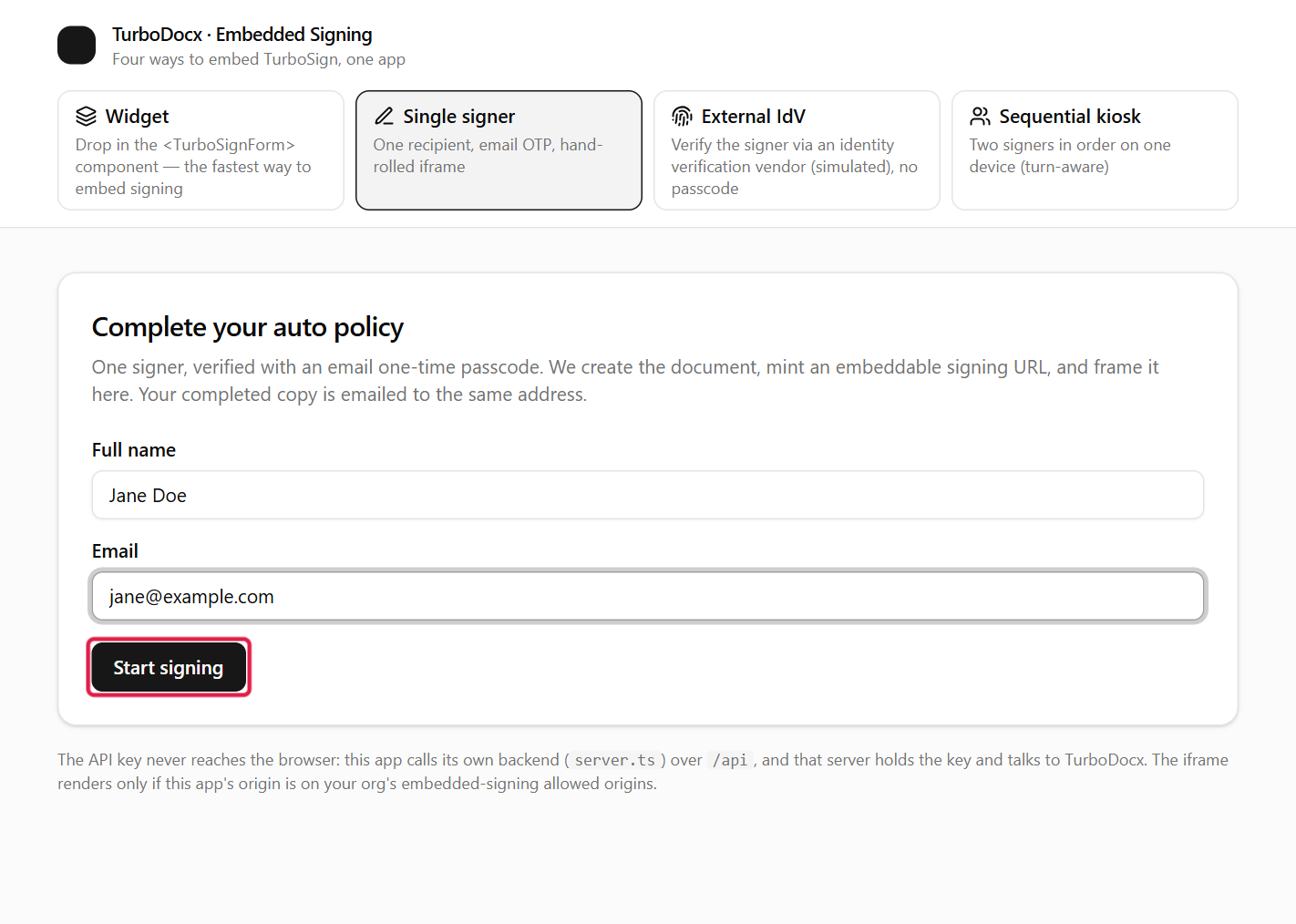
-
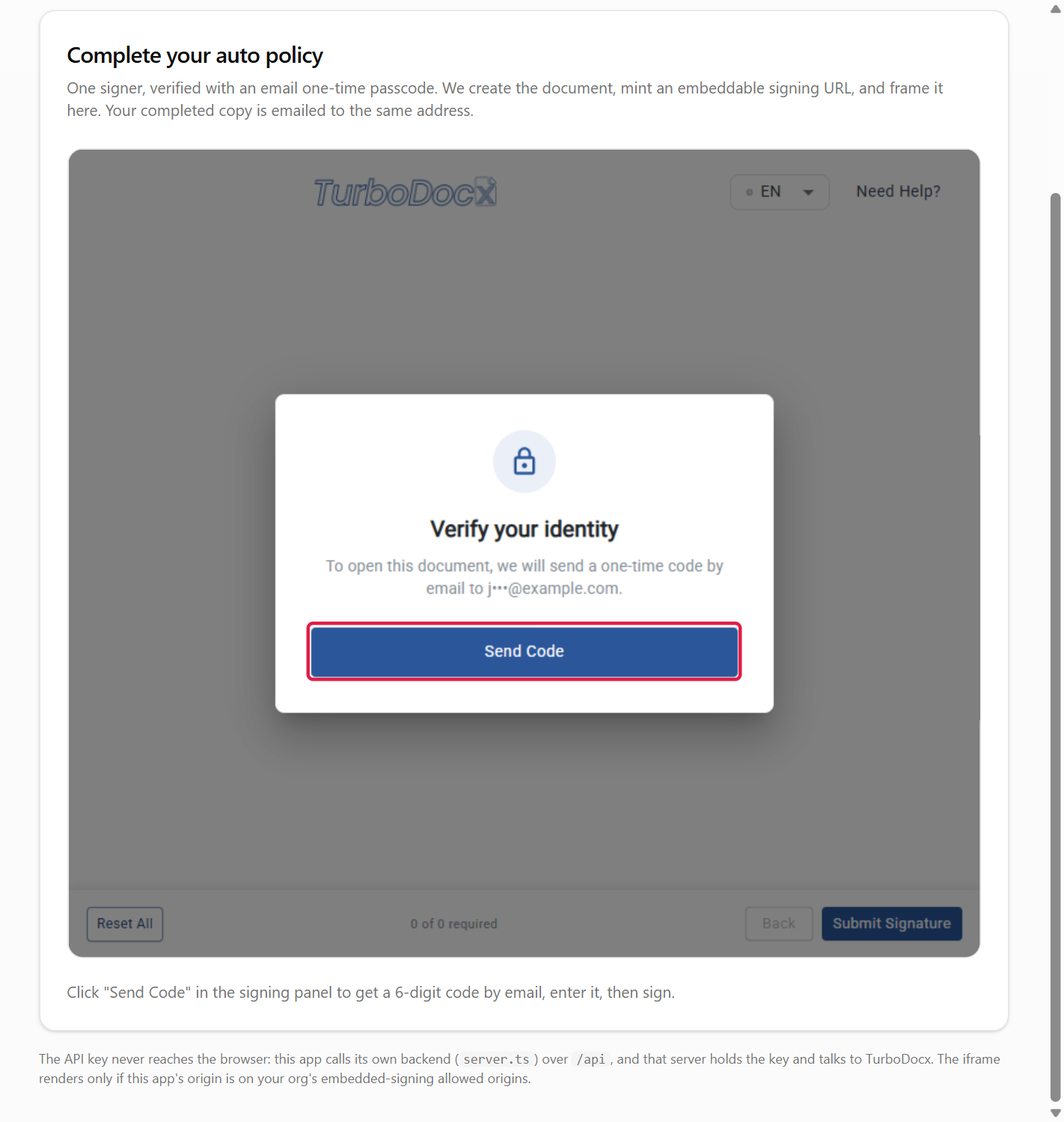
Your page shows the TurboSign signing panel. The signer clicks Send Code, and TurboSign emails a six-digit code to the signer's address.
-
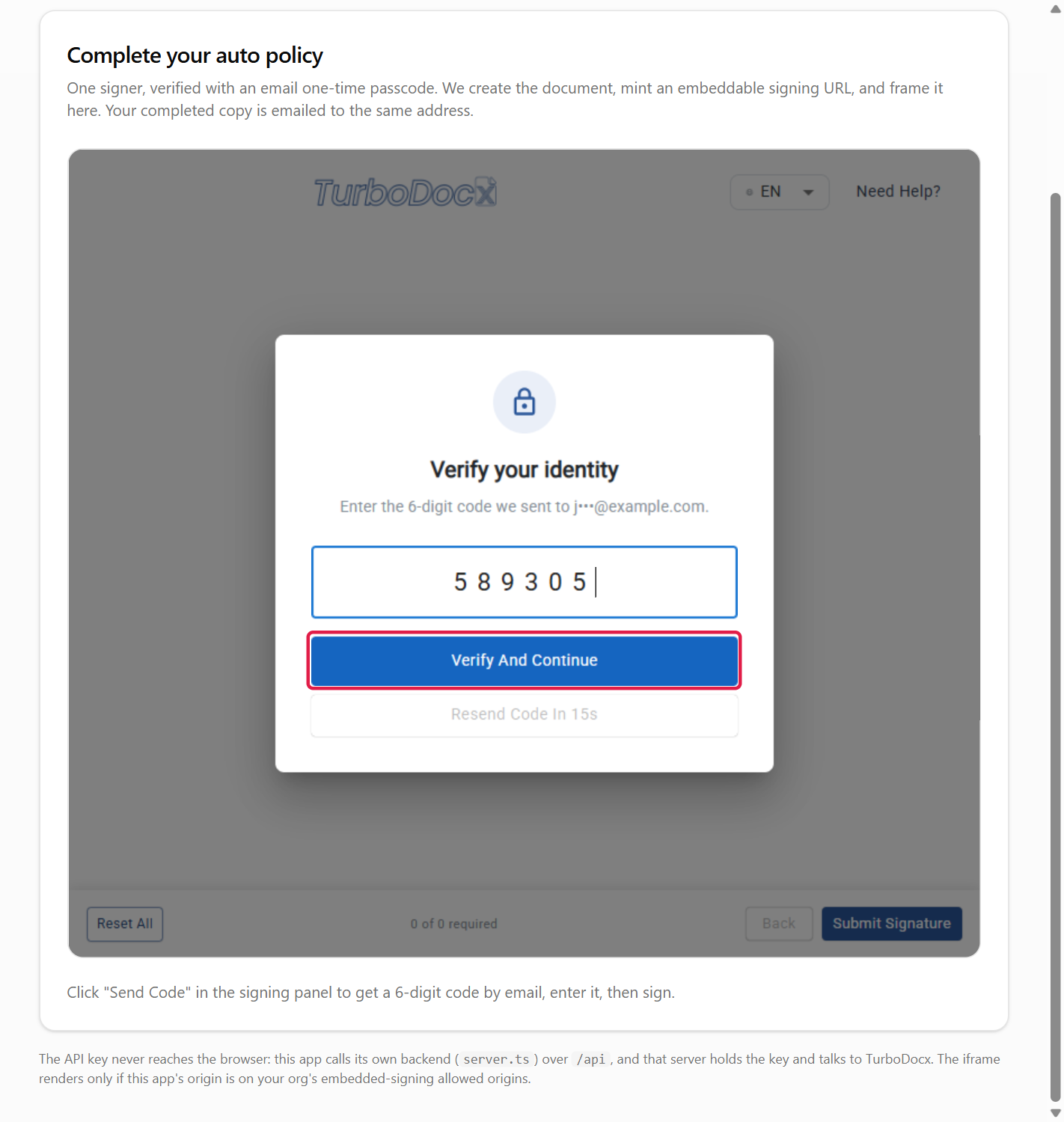
The signer types the code and clicks Verify And Continue.
-
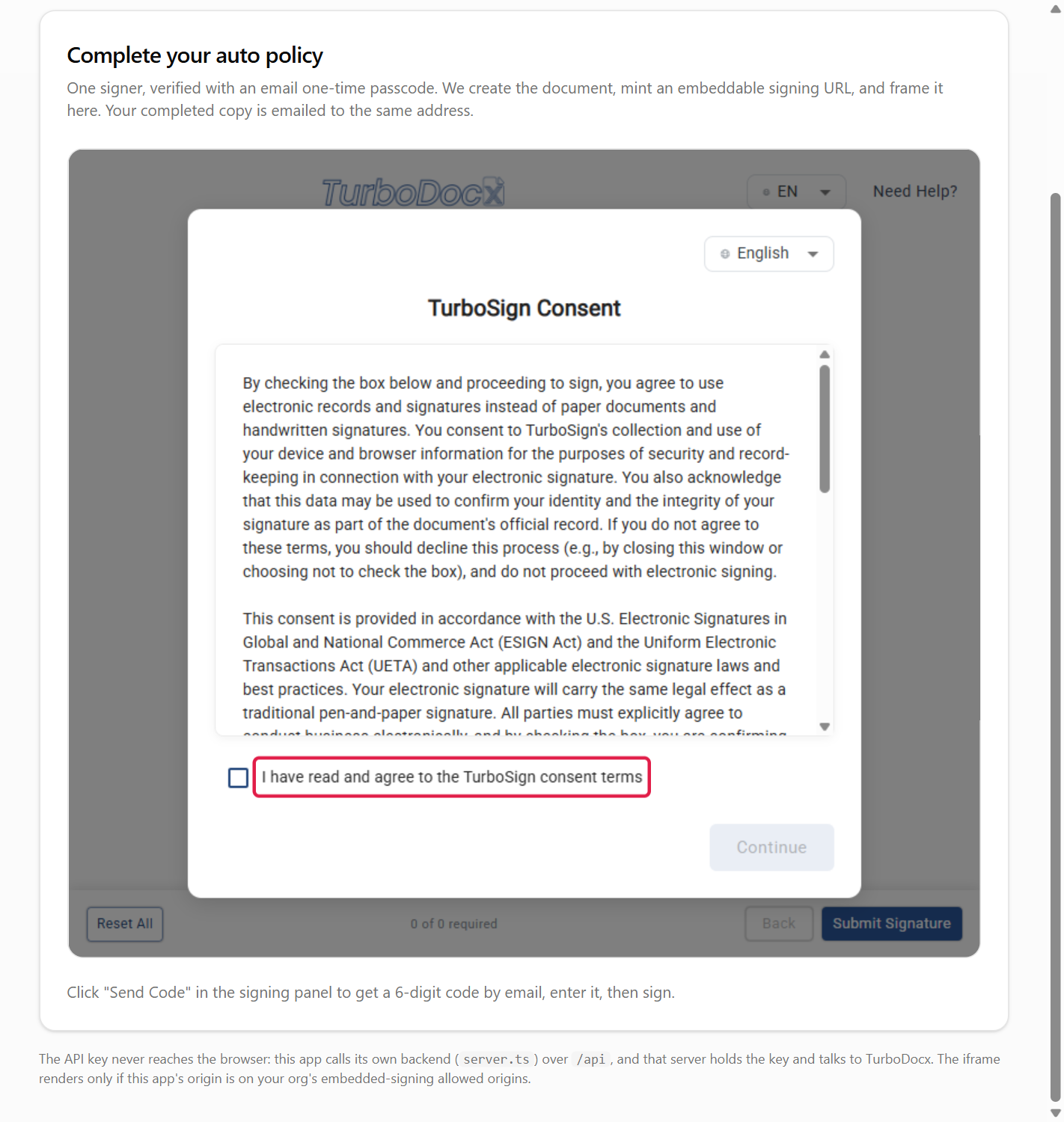
The signer ticks I have read and agree to the TurboSign consent terms and clicks Continue.
-
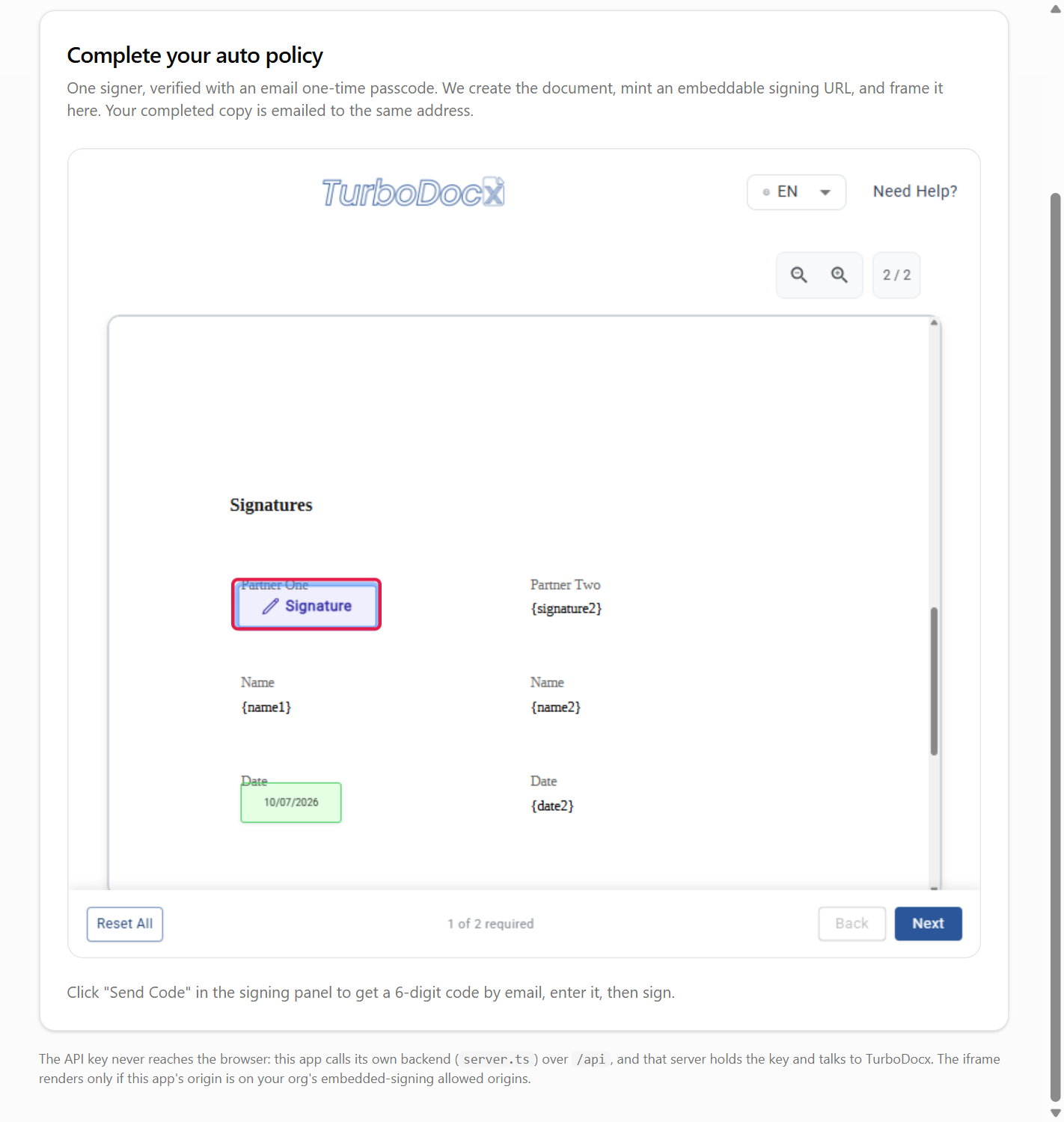
The document opens. The signer clicks the Signature field, types or draws a signature, and clicks Save. Date fields fill in automatically.
-
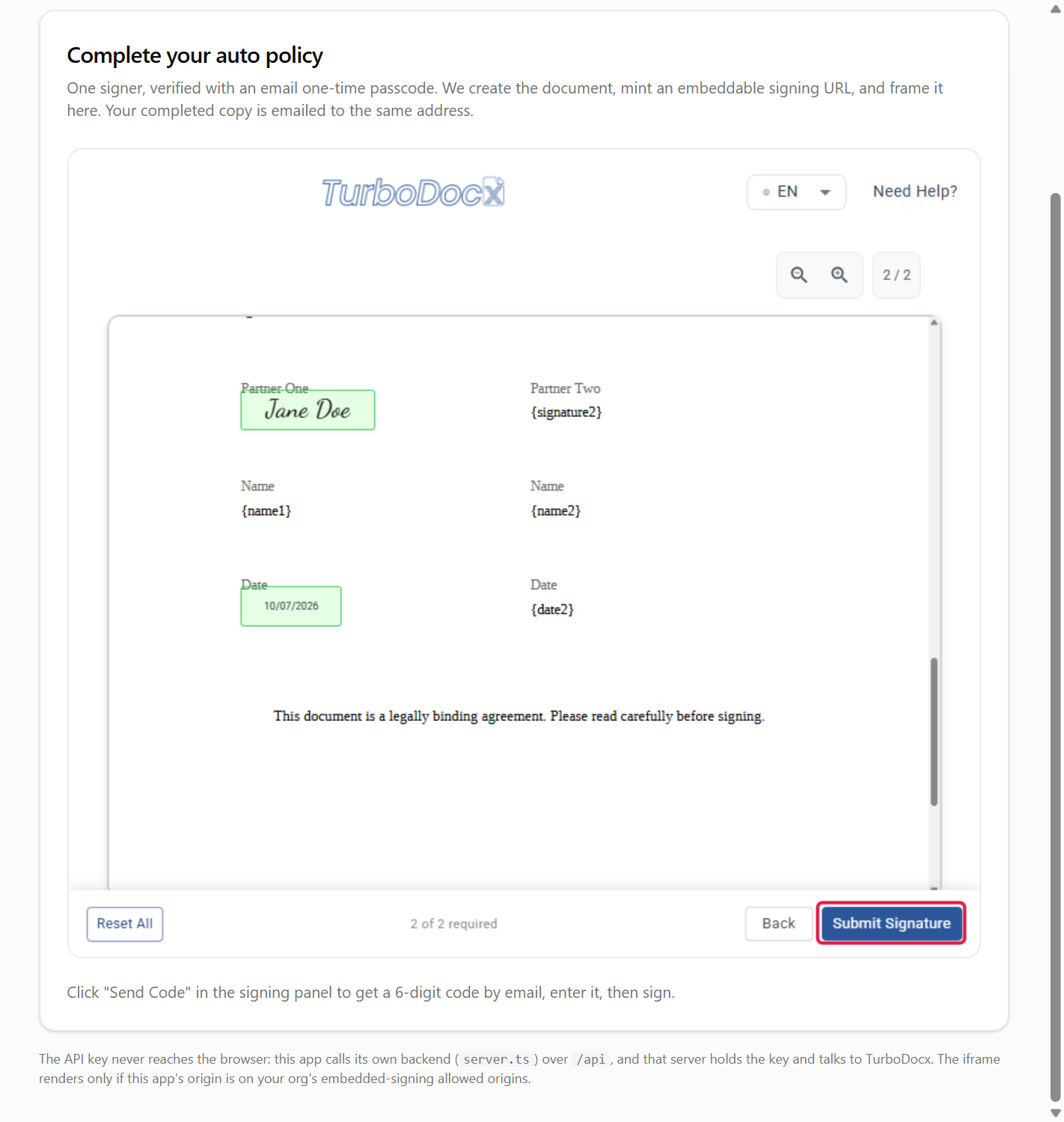
When every required field is done, the signer clicks Submit Signature.
-
The signing page posts
turbosign:completed. Your listener removes the iframe and shows your own confirmation.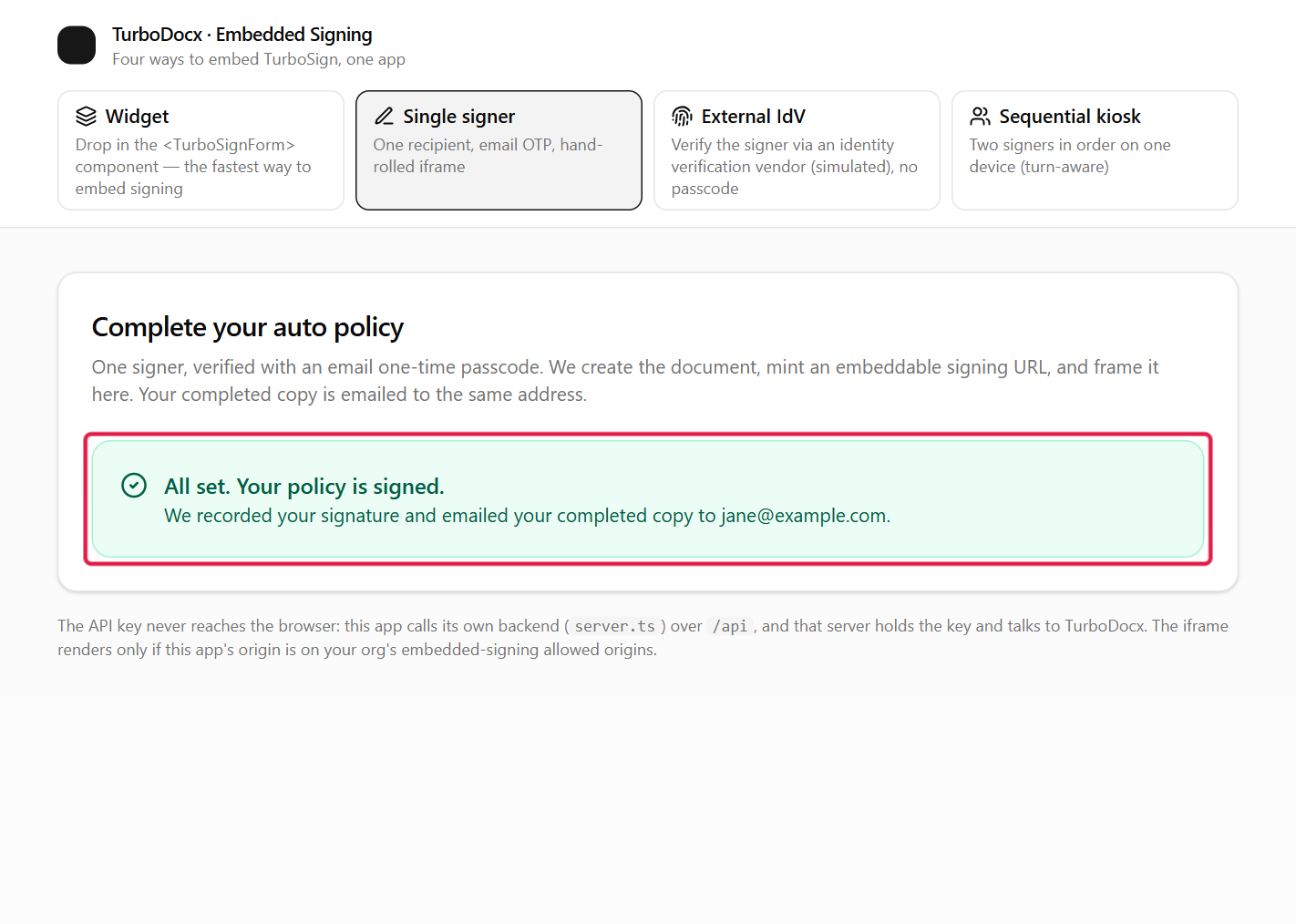
A code expires after 10 minutes, and five wrong entries require a new code. See Passcode attempts and lockout.
What the completion event contains
{ "type": "turbosign:completed", "documentId": "4f1c...", "status": "completed", "event": "signing_complete", "scope": "recipient" }
scope: "recipient" means this signer finished. For the whole document, read the status on your server or wait for the completed webhook. Field-by-field details are in the API reference.
Common errors
| Symptom | Cause | Fix |
|---|---|---|
The iframe is blank, and the browser console mentions frame-ancestors | Your origin is not under Allowed embedding domains. | Add the exact origin, including the port in development. |
HTTP 403 when the signing URL is created | The API key belongs to a User. | Use an Administrator or Contributor key. |
HTTP 403 EmbeddedSigningNotEnabled | Enable identity verification is off. | Ask an admin to turn it on (Step 1). |
HTTP 403 OtpOverrideNotAllowed | Your organization verifies every request and locked the method to a different channel. | Ask an admin to allow changing the method per recipient, or follow the SMS guide. |
| Signing finishes but no completion message arrives (often in Firefox) | The signing page posts only to an origin it can identify, and your page or iframe sends no referrer. | Don't use referrerpolicy="no-referrer" on the iframe or a no-referrer page policy; keep the default strict-origin-when-cross-origin. |
| Your listener never fires | The origin check uses the wrong origin, or the message came from a different frame. | Log event.origin once and compare it with TURBOSIGN_ORIGIN. |
What's next
- Next: Web component, a drop-in element for any framework.
- React widget: the same flow without writing the listener.
- Kiosk signing (two signers, one device): extend this flow to several signers.
- API reference: every field, event and error.