Identity Verification
Let an agent scaffold this for you
Install the TurboDocx Quickstart Skill and let Claude Code, Cursor, Copilot, Codex, or any agent that speaks the Agent Skills standard install the SDK, wire it into your app, and write a working TurboSign integration end-to-end.
$npx skills add TurboDocx/quickstart›/turbodocx-sdk turbosign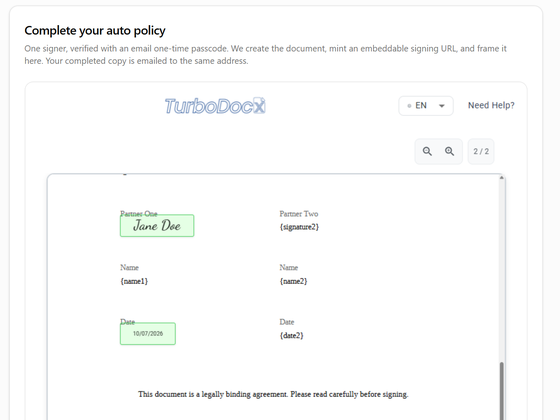
Identity verification makes a signer prove who they are before the document opens. You set it per recipient, and an admin can set a default for the whole organization.
At a glance:
- Three ways to verify: a one-time passcode by email or SMS, external identity verification from your own provider, or the sender override (testing only, no verification).
- Passcodes work everywhere: on signing links TurboSign emails, and on signing pages you embed in your own app.
- External identity verification and the override are for embedded signing: they work only through a signing URL your app requests.
- Every verification is recorded on the certificate of completion and in the audit trail.
The three ways to verify a signer
One-time passcode (otp) | External identity verification (external_idv) | Sender override (override) | |
|---|---|---|---|
| Who verifies the signer | TurboSign, by email or SMS | Your identity verification provider, before the signer reaches TurboSign | Nobody |
| What the signer does | Enters a six-digit code on the signing page | Nothing extra on the signing page | Nothing extra |
| Emailed signing links | Yes | No | No |
| Embedded signing | Yes | Yes | Yes |
| Signing URL | Reusable for the life of the document | Single-use, expires in about five minutes | Single-use, expires in about five minutes |
| Use it for | Most apps; control of an inbox or phone is enough | Apps that already run KYC or step-up checks with a provider | Development and testing only |
| Guide | Email and SMS passcode | External identity verification | Sender override for testing |
external_idv and override recipients sign only through a single-use URL that your app requests with createSigningUrl. TurboSign never sends them signing, reminder or resend emails, so use them with embedded signing.
Signers you email
For ordinary signature requests (sent from the TurboDocx app, or through the API with signing-link emails on), a passcode is the only verification method.
- A sender can turn it on per recipient, in the app or through the API.
- An admin can require it on every signature request with When to verify signers > On every signature request.
Signers in your own app (embedded signing)
When your app shows the signing page, TurboSign doesn't email the signer a link, so nothing proves the person at the screen controls the signer's inbox. Choose a verification method for every embedded signer:
- One-time passcode if your app has no identity provider. TurboSign sends a code to the signer's email or phone.
- External identity verification if your app already verifies users with a provider. The signer isn't asked for a passcode.
- Sender override only while you build and test. Every signature is marked as not identity-verified.
If you leave verification off a recipient (and your organization verifies only when requested), TurboSign still issues a signing URL, and whoever opens it can sign. Use a passcode or external identity verification in production.
Before you start
An admin turns on Enable identity verification in Settings > Features and integrations > Signatures card > Configure E-Signature > Identity Verification. Despite its name, this one switch turns on passcodes, external identity verification, the override and embedded signing. While it is off, requests that use any of them fail with EmbeddedSigningNotEnabled.
Set up your organization shows every click with screenshots.